Find out how the season actually went.
Keydesk reports on revenue, occupancy, booking channels and booking performance, backed by a booking ledger holding every reservation and its financial detail. All of it exports as clean CSV, and all of it is included in the one plan.
Last reviewed 15 September 2026
Four questions worth being able to answer.
Most operators can tell you roughly how the season felt. Far fewer can put a number on how much came through their own website, or how full the site actually was in the second week of June. The difference matters when you are setting next year’s prices.
- Revenue
- Booking value, commission, payments received and balances still outstanding, so a season can be compared with a plan rather than a feeling. Multiple currencies stay separate rather than being added together.
- Occupancy
- Actual available and occupied unit nights, with closures, maintenance, owner holds, stop-sells and quantity overrides taken into account rather than ignored.
- Booking channels
- The split between Keydesk Direct, your booking office and the channels you sell through, taken from the channel recorded on every reservation. Compare what direct business is really worth against what a channel costs you.
- Booking performance
- How bookings are behaving across the period, so a quiet stretch is something you notice early rather than explain afterwards.
You cannot shift your channel mix if you cannot see it.
Every reservation in Keydesk carries the channel it arrived through, whether that is Keydesk Direct, a booking taken by your team, or Pitchup through the live API connection. Channel reporting adds those up for you.
That single number is the one worth knowing before you decide anything about commission. If you want to put a value on moving even part of that mix, the commission calculator will do the arithmetic with your own figures.
How direct bookings reach Keydesk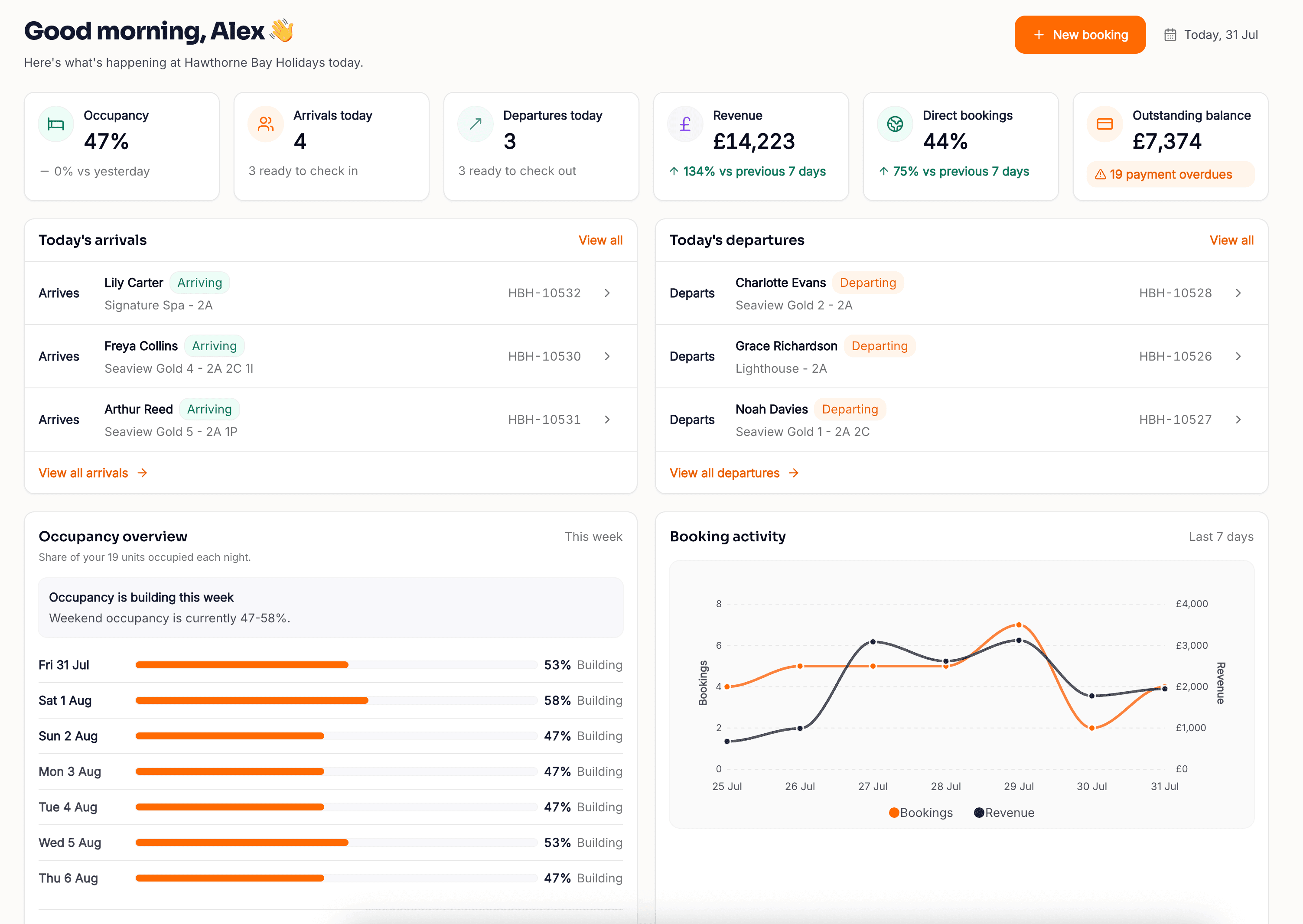
A summary is not enough at year end.
Headline figures are useful right up until somebody asks a specific question. The booking ledger is the detailed view underneath them: every booking, with its associated financial information, in one place you can read, filter and export.
- Every booking, with its money attached
- A detailed ledger of all bookings and their associated financial information, rather than a summary you have to trust.
- CSV that opens properly, and safely
- Exports use the filters you can see, columns arrive as columns, dates arrive as dates, and cells are protected against the formula tricks that make a spreadsheet of guest-entered text a security problem.
- Ready for your accountant
- Hand a bookkeeper a complete export instead of screenshots, and keep your own copy of your own data. Access to reports and the right to export them are separate permissions, and every export is recorded.
What reporting does today, and what it does not.
Reporting is one of the areas where software is most often oversold. Here is the current position, so you can decide whether it covers what you need before you commit rather than afterwards.
- Revenue reporting
- Occupancy reporting
- Booking channel split
- Booking performance
- Full booking ledger
- Formatted CSV export
- A live accounting-software integration
- Automated or scheduled report delivery
- Custom report building
- Forecasting and demand modelling
If any of these decide your purchase, ask us before you commit. We would rather tell you now than have you find out in month two.
Frequently asked
What reporting does Keydesk include?
Keydesk reports on revenue, occupancy, booking channels and booking performance, alongside a booking ledger containing every booking and its associated financial information. Reporting is part of the standard £49 monthly subscription rather than a paid module.
Can I see how much of my business is direct?
Yes. Every reservation carries the channel it came from, whether that is Keydesk Direct, your booking office, Pitchup or a channel connected through calendar sync, so channel reporting shows the split rather than asking you to estimate it. That number is the starting point for any decision about growing direct business.
Can I export the data?
Yes. Report data downloads as a properly formatted CSV using whichever filters you have on screen, so what you export is what you were looking at. Exported spreadsheets are protected against malicious formula cells, which matters when a file contains guest-entered text and is about to be opened by your accountant. Every export creates an audit record. Your data stays yours and there is no charge to get it out.
What is the booking ledger?
The booking ledger is a detailed list of every booking with its associated financial information in one place. It is the view to use when you need to reconcile a period, answer a question about a specific reservation, or give an accountant something complete rather than a summary.
How is occupancy calculated?
From actual available and occupied unit nights, using the inventory you genuinely had on sale. Closures, maintenance, owner holds, stop-sells and quantity overrides are all taken into account, so a pitch that was shut for a fortnight does not quietly drag your occupancy down. It is still worth confirming the exact treatment against your own setup before a figure goes into a board or bank report.
Does Keydesk connect to my accounting software?
Not directly. Keydesk exports properly formatted CSV for spreadsheets and accounting workflows, but a live integration with an accounting package is not available today. If automatic posting to your accounts is a requirement, tell us before you commit rather than assuming it is covered.
Can I control who sees reports and who can export them?
Yes, and they are separate permissions. Someone can be allowed to look at reports without being allowed to download the underlying data, which is usually the right split for seasonal staff. Every report export creates an audit record, so you can see what left the system and who took it.
What date does a report use?
Whichever one answers your question. You can filter by the date a booking was created, the date the guest arrives, or the date money was paid. Those give very different pictures of the same season, and being able to switch between them is the difference between a report and a guess.
What if I take payments in more than one currency?
Currencies are kept separate rather than added together into a meaningless total. It is a small thing that quietly ruins figures in software that gets it wrong.
Does reporting cost extra?
No. There is one Keydesk plan at £49 per month, per site, and reporting is included in it. There are no reporting tiers, no per-report charges and no module to unlock.
Where the numbers come from
Reporting is only as good as the records underneath it. These are the parts of Keydesk that produce them.
Know the numbers before you price next season.
Create your account, bring your bookings across, and go into the autumn with a clear view of revenue, occupancy and where your business actually comes from.
Create your account today. £49/month per site, billed monthly, with no long-term contract.