Campsites
- Electric hook-up
- Firewood bundle
- Extra car
- Pet fee
Offer useful add-ons during direct and staff-entered bookings, price them clearly and keep the stay, extras and payment in one reservation.
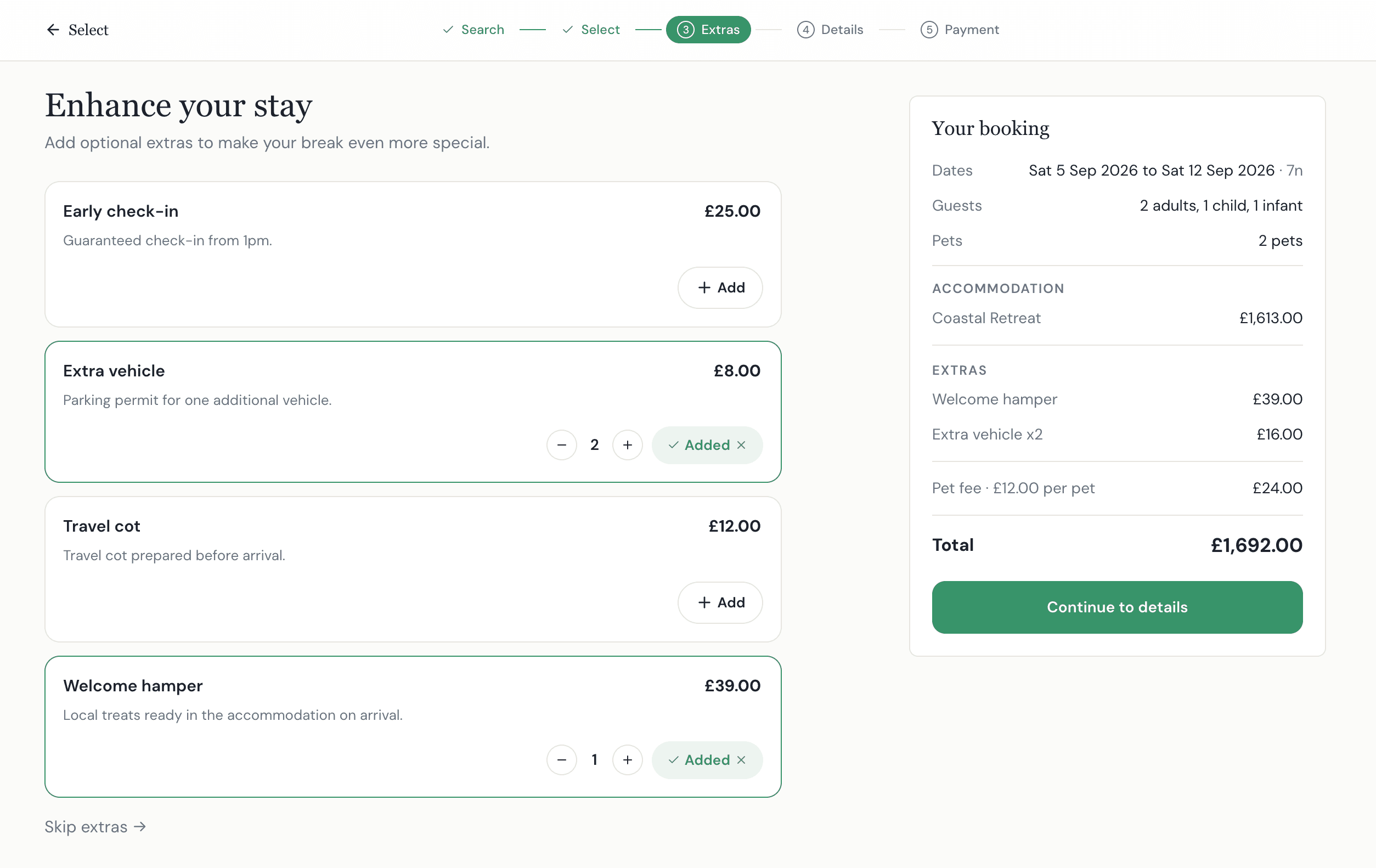
One charge for the whole reservation, however many nights the guest stays.
The quantity follows the length of stay, keeping the displayed calculation clear.
Guests choose the quantity they need and the booking total reflects it.
Extras sit inside the booking journey, so the guest can review the complete price instead of completing another form or waiting for the office.
Dates, accommodation, party and base price establish the booking.
Configured extras appear as part of the booking journey, not as a separate enquiry.
The guest chooses an option or quantity and sees the price before proceeding.
The stay and extras reach one booking total before the deposit or full payment.
The selected extras join the reservation before the guest pays the configured deposit or full amount. Staff can see the booking total, payment history and outstanding balance together.
See deposits and paymentsBooking extras are optional products or services sold alongside the stay, such as firewood, a welcome hamper, a pet fee, a cot or late checkout. An upsell encourages a guest to improve or personalise the booking; the offer should remain clear, relevant and genuinely optional.
Keydesk supports extras priced per booking, per night or per item. The right unit depends on what is being sold: a welcome hamper may be per booking, a pet fee may be per night and firewood may be sold by quantity.
Yes. Extras can be offered in the Keydesk Direct booking journey so guests can add relevant options before payment. The booking total updates to include their selections.
Yes. Booking Mode takes staff through the stay, customer, extras and payment with live pricing, so telephone and booking-office reservations can use the same configured options.
Extras form part of the booking and payment position. Guests can pay the configured deposit or full amount through Stripe, and Keydesk keeps the paid amount and outstanding balance with the reservation.
The page examples are illustrative. Confirm the applicability, quantity and availability controls needed for your operation during setup rather than assuming every fulfilment rule is automatic.
Keydesk currently supports extras during guest checkout and staff-entered Booking Mode. Confirm the post-booking amendment workflow needed by your operation during onboarding before relying on guest self-service after confirmation.
Supported extras are published to Pitchup through the live Keydesk integration, so they can travel with a Pitchup listing rather than being added by hand afterwards. Which extras are supported depends on what Pitchup accepts, so confirm your specific ones with us. Other OTA and marketplace connections are not live, and extras otherwise sit within direct website and staff-entered booking workflows.
Create your account and start adding relevant extras to your direct and staff-entered booking journeys.
Create your account today. £49/month per site, billed monthly, with no long-term contract.
We use cookies to analyse site traffic and personalise content. You can accept all cookies or reject non-essential ones. Read our Cookie Policy for details.